Offline POS for Cafés & Bakeries in Pakistan

Cafe POS software in Pakistan designed for cafés, bakeries and restaurants that need fast, reliable billing—even without internet.

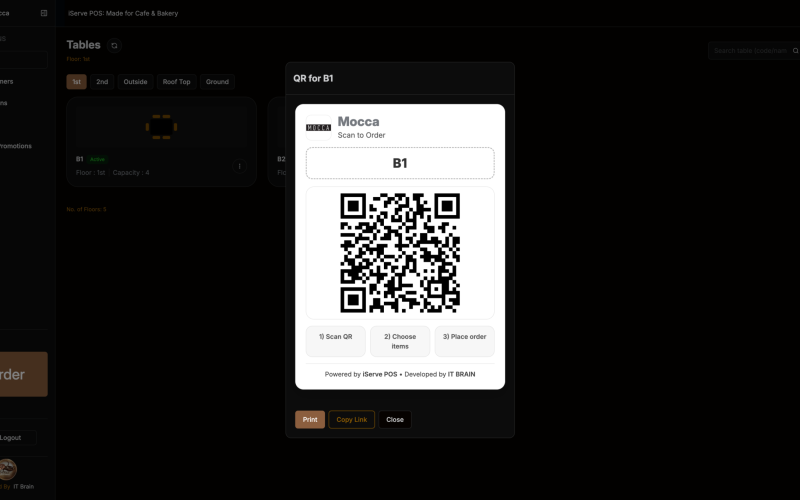
iServe POS handles offline billing, kitchen display (KOT/KDS), QR ordering, inventory management,and real-time reports in one system.

Everything you need to run a café — in one POS

Reliable POS software for restaurants in Pakistan, designed for cafés to manage billing, inventory, kitchen, and staff — even offline.

Fast POS Billing Built for Rush Hours

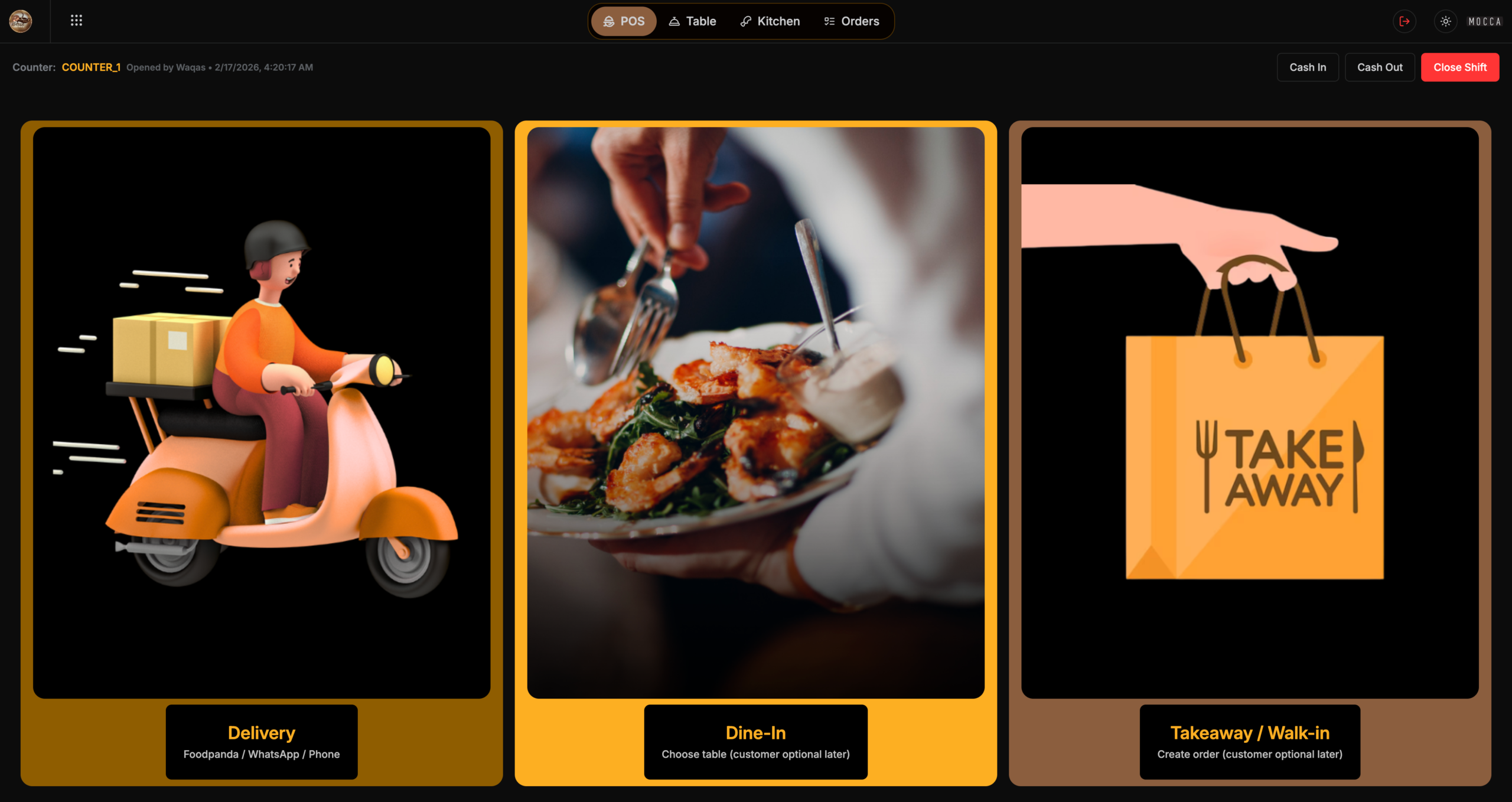
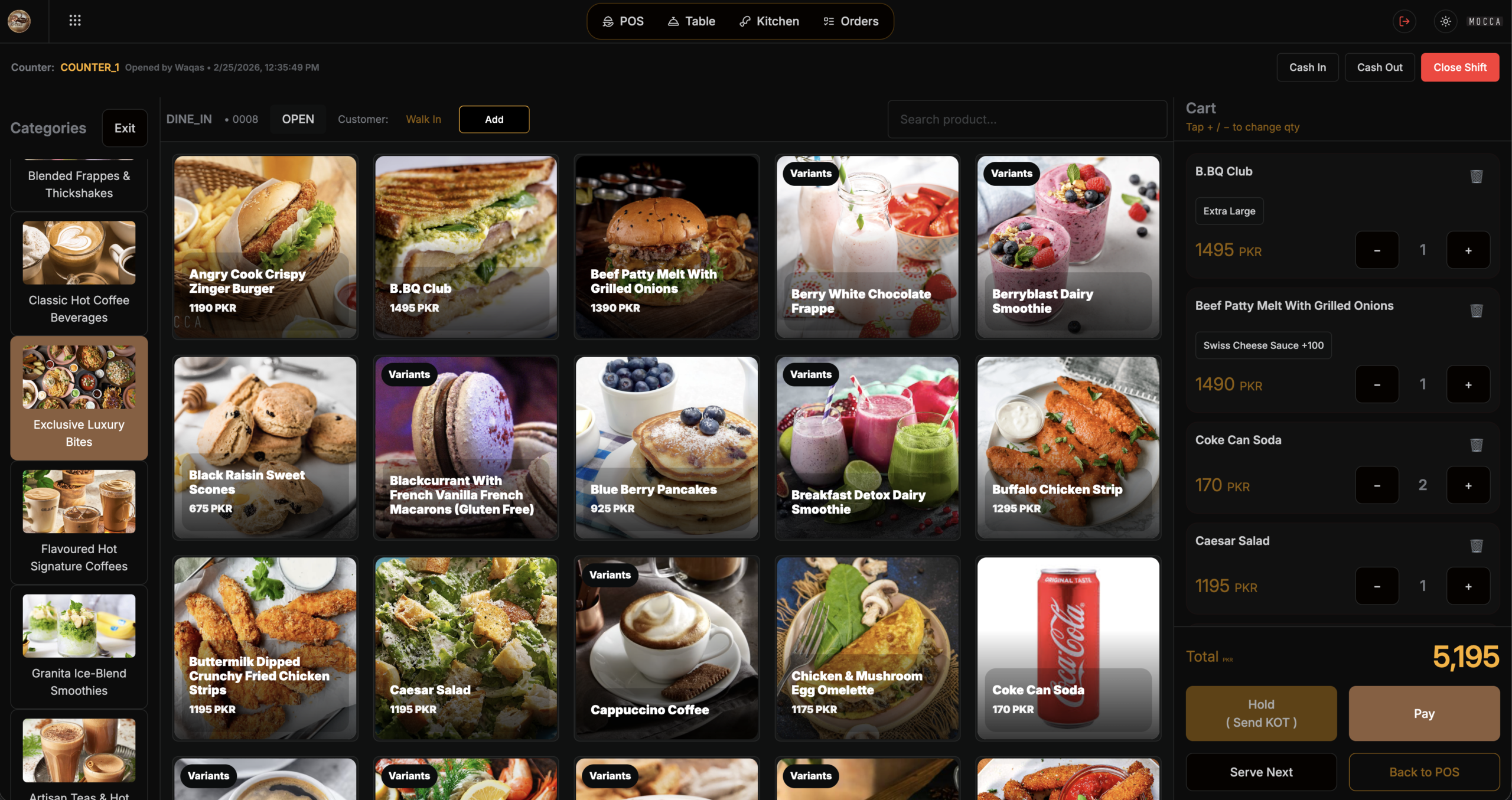
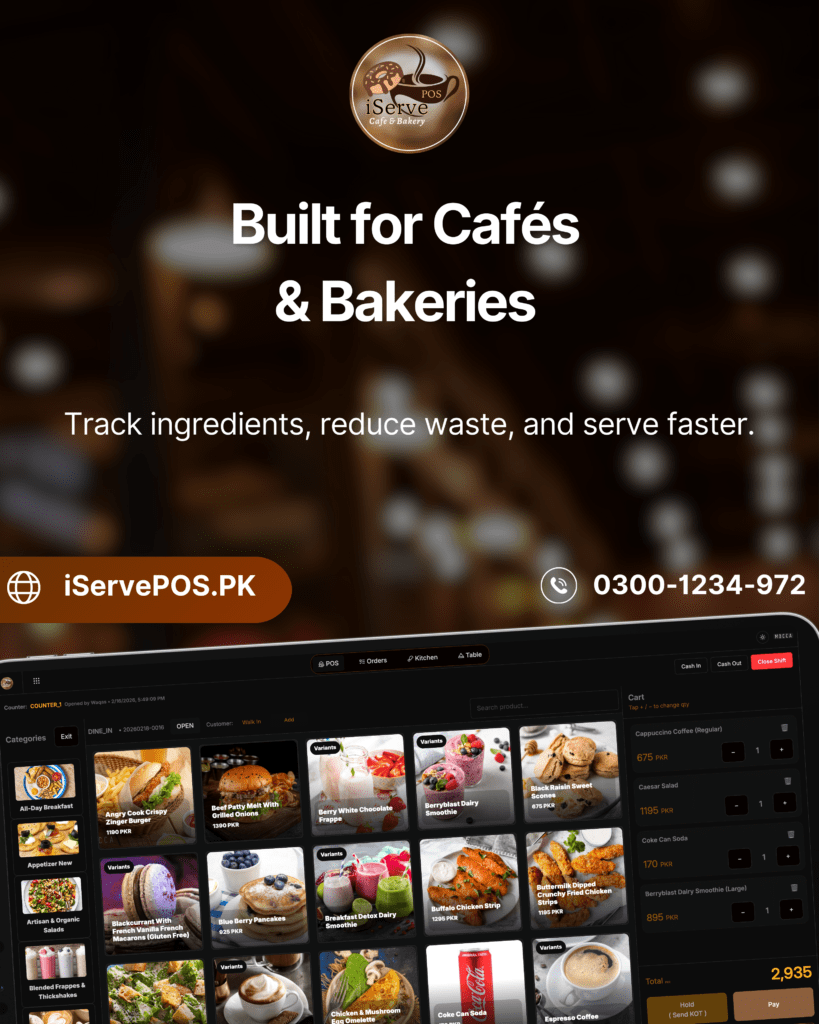
Take orders in seconds with a clean billing screen designed for cafés and bakeries. Add items, variants, and add-ons quickly, apply discounts/coupons, and print receipts instantly — even when the internet is down.

  • Dine-in, takeaway & delivery
  • Variants + add-ons
  • Discounts & coupons
  • Receipts + KOT printing

Touch Billing POS with a Clean Order Flow — Built for Rush Hours

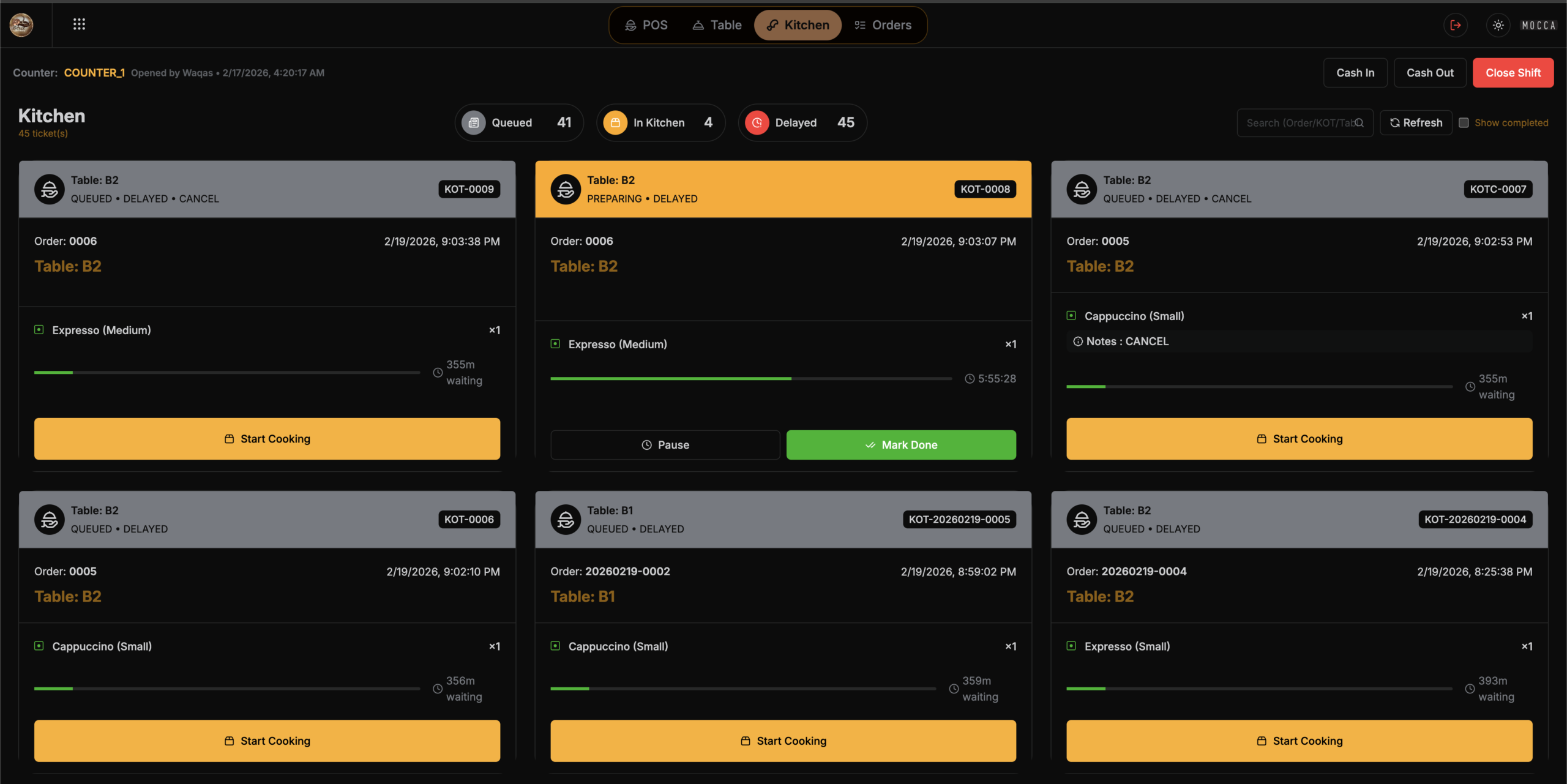
Most POS systems only show sales. iServe POS tracks what actually impacts profit — ingredients, wastage, expenses, and shift cash. Fewer taps, fewer mistakes. Cashier stays fast, kitchen stays in sync.

Quick item search

Variants + add-ons

Reciepts & Send KOT

Bank Promotions

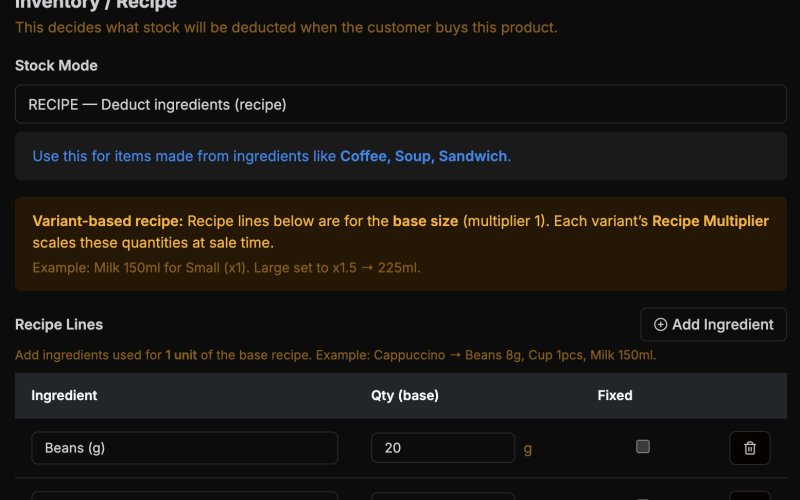
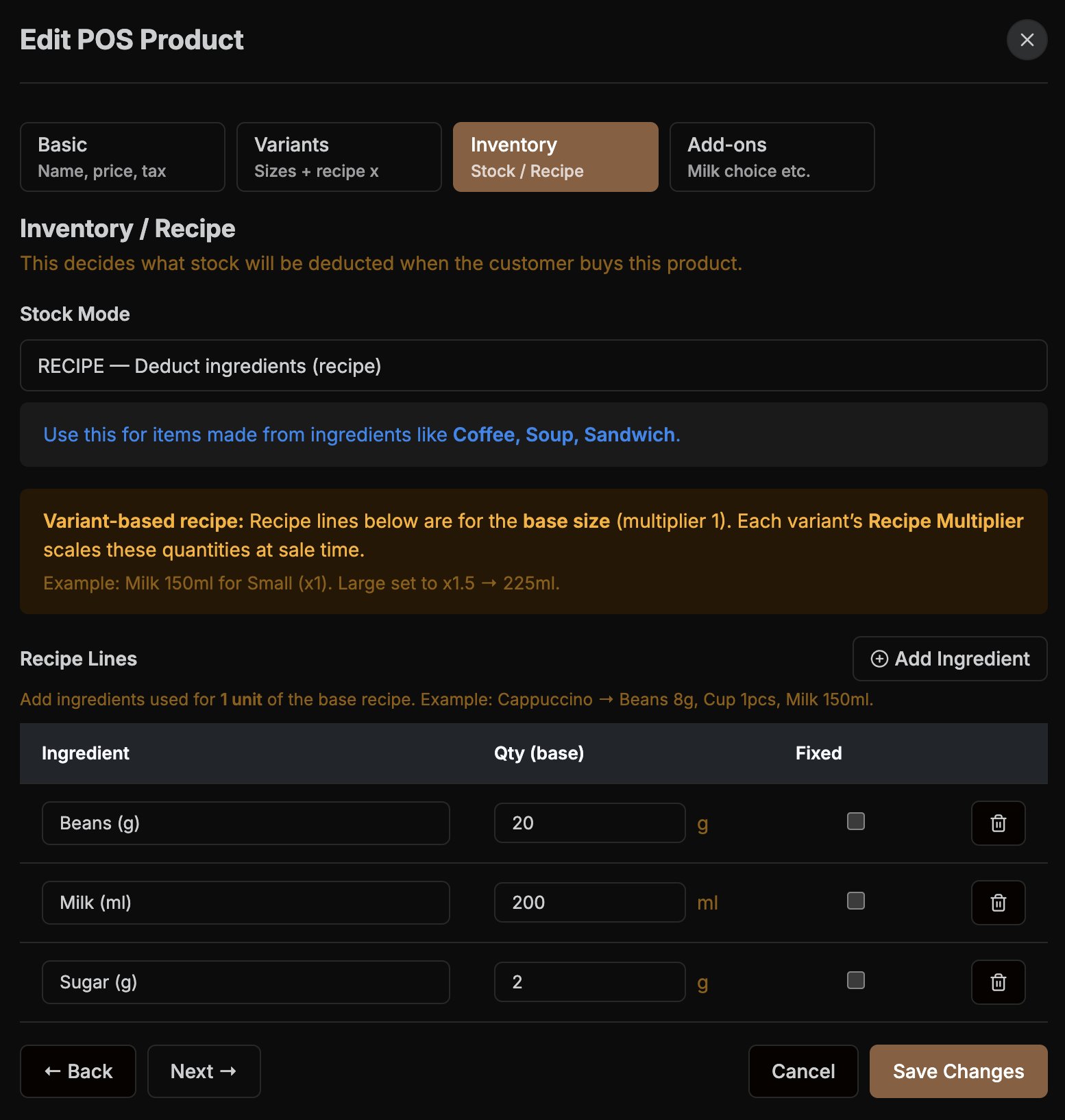
Ingredient-level stock deduction— Automatically

Built for cafés & bakeries , restaurants in Pakistan: ingredient inventory, wastage tracking, shift cash control, and an audit trail — inside one offline POS.

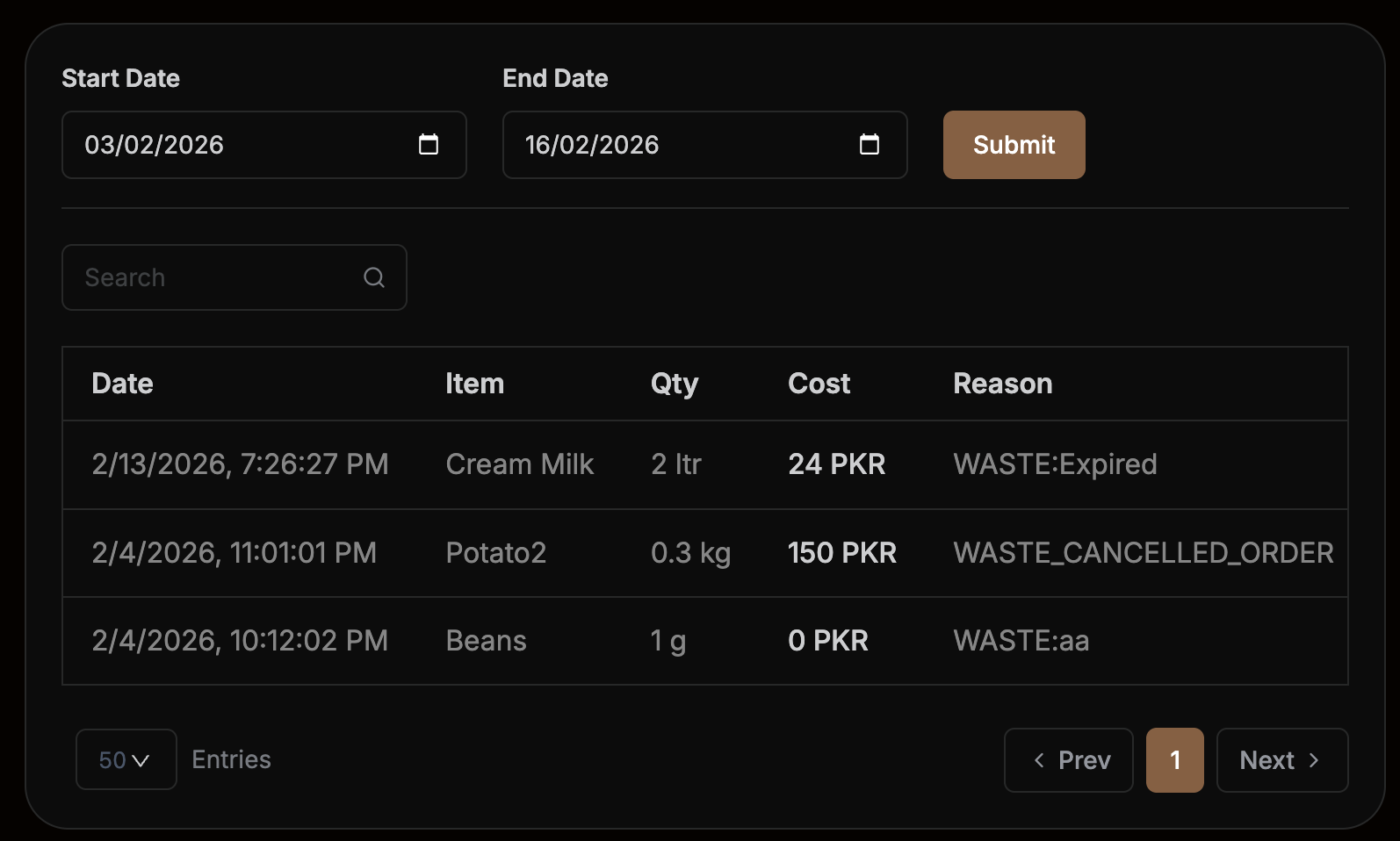
Waste & Spoilage

Log wastage in seconds and see what’s being lost by item, reason, and time period.

Cash Discipline

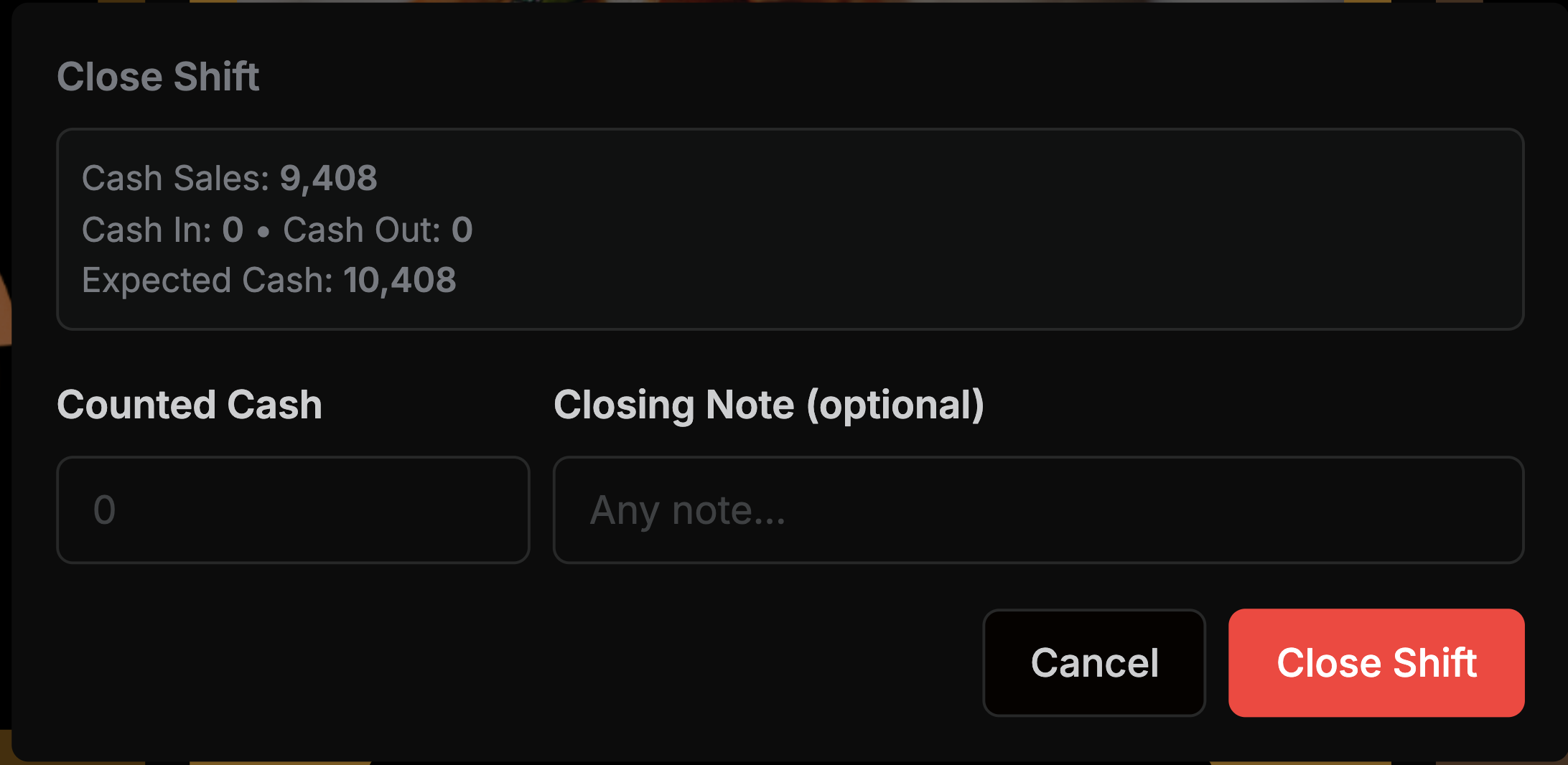
Track opening cash, cash-in/out, cash expenses, and expected cash automatically at shift closing.

Ingredient Control

Deduct ingredients on every sale with recipe-based inventory — so stock reflects reality in POS.

Ingredient Control

 Every sale can deduct ingredients — so stock reflects reality.

Kitchen Screen (Start / Pause / Done)

Waste & Spoilage

Log waste in seconds. Know what’s being lost and why.

Cash Discipline

Shifts track opening cash, cash-in/out, expenses, expected cash, and variance.


Recipes → Auto Ingredient Deduction

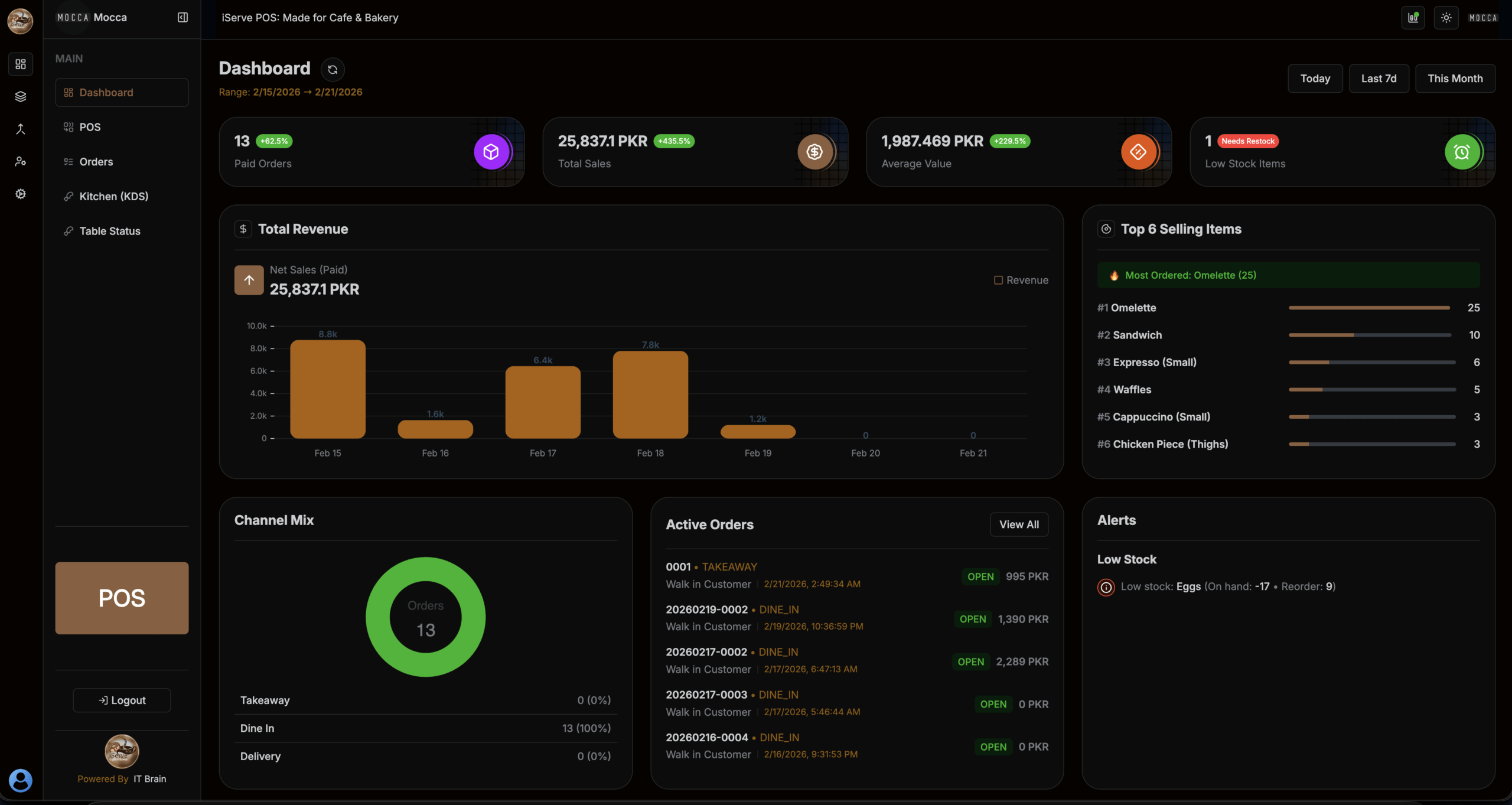
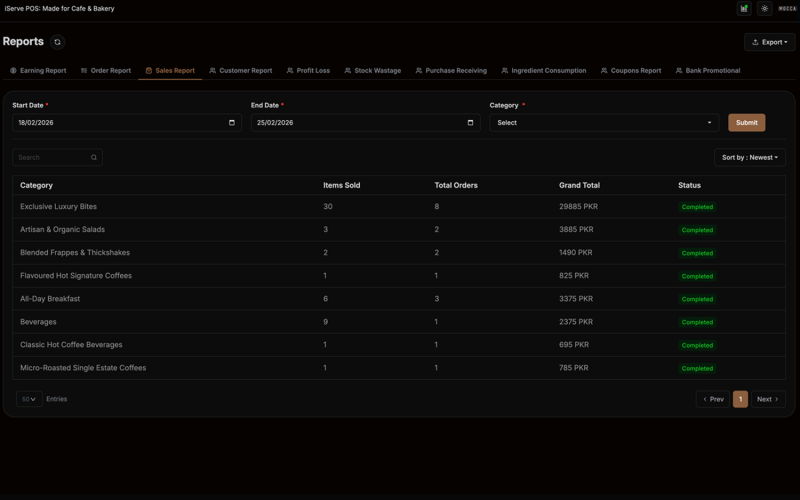
Advanced Reports for POS

Reports owners actually use

Fast touch billing with clean order flow — so cashiers don’t get stuck, and kitchen doesn’t miss orders.

Reports
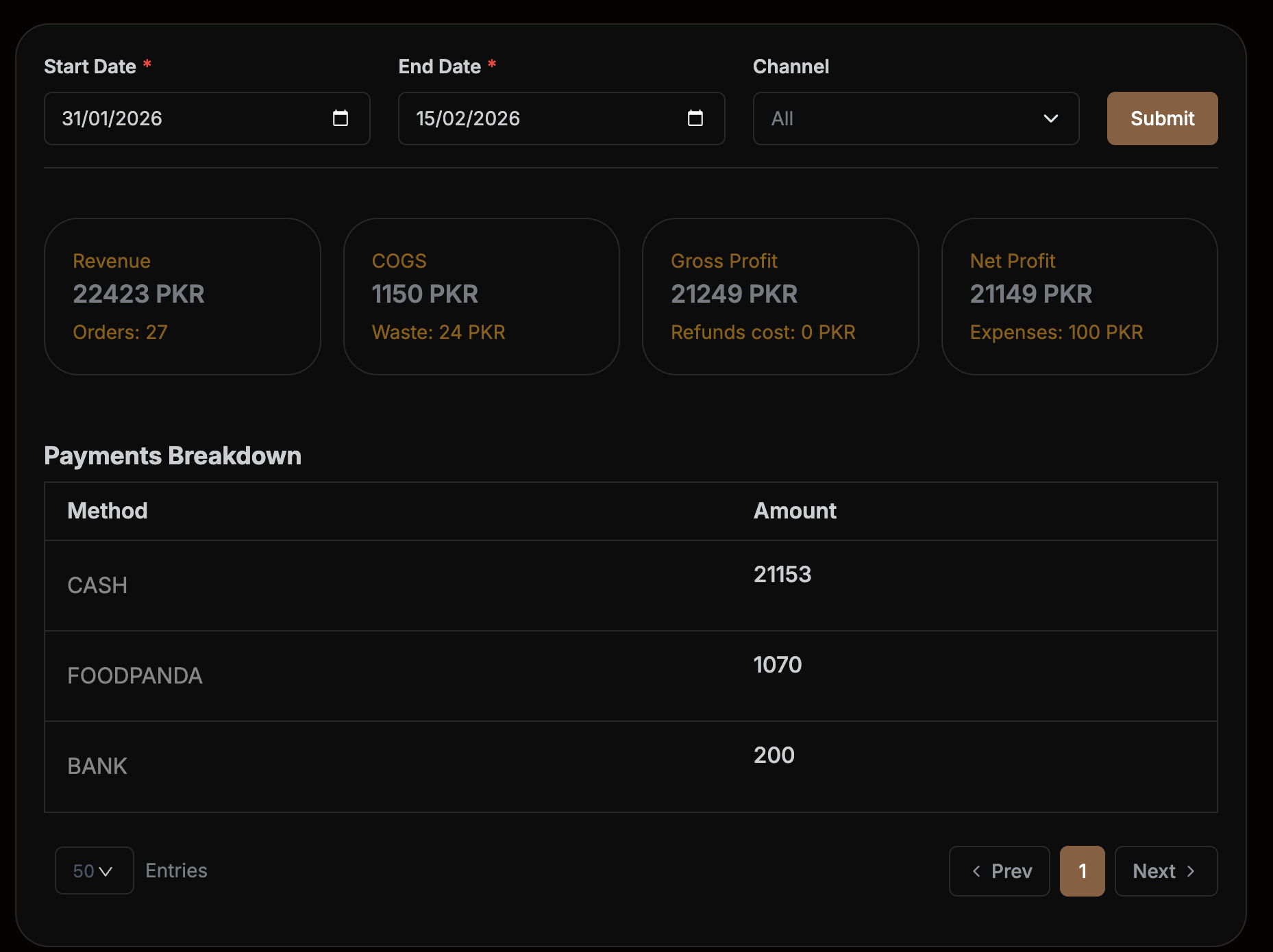
Profit / Loss (real margin)

See true profit after discounts, ingredient cost (COGS), wastage, and expenses — not just sales totals.

Stock Wastage
Wastage & stock leakage

Log waste in seconds and spot where ingredients are disappearing — by item, reason, and time period.

Shift variance

Closing shifts shows expected cash vs counted cash automatically, including cash-in/out and cash expenses.

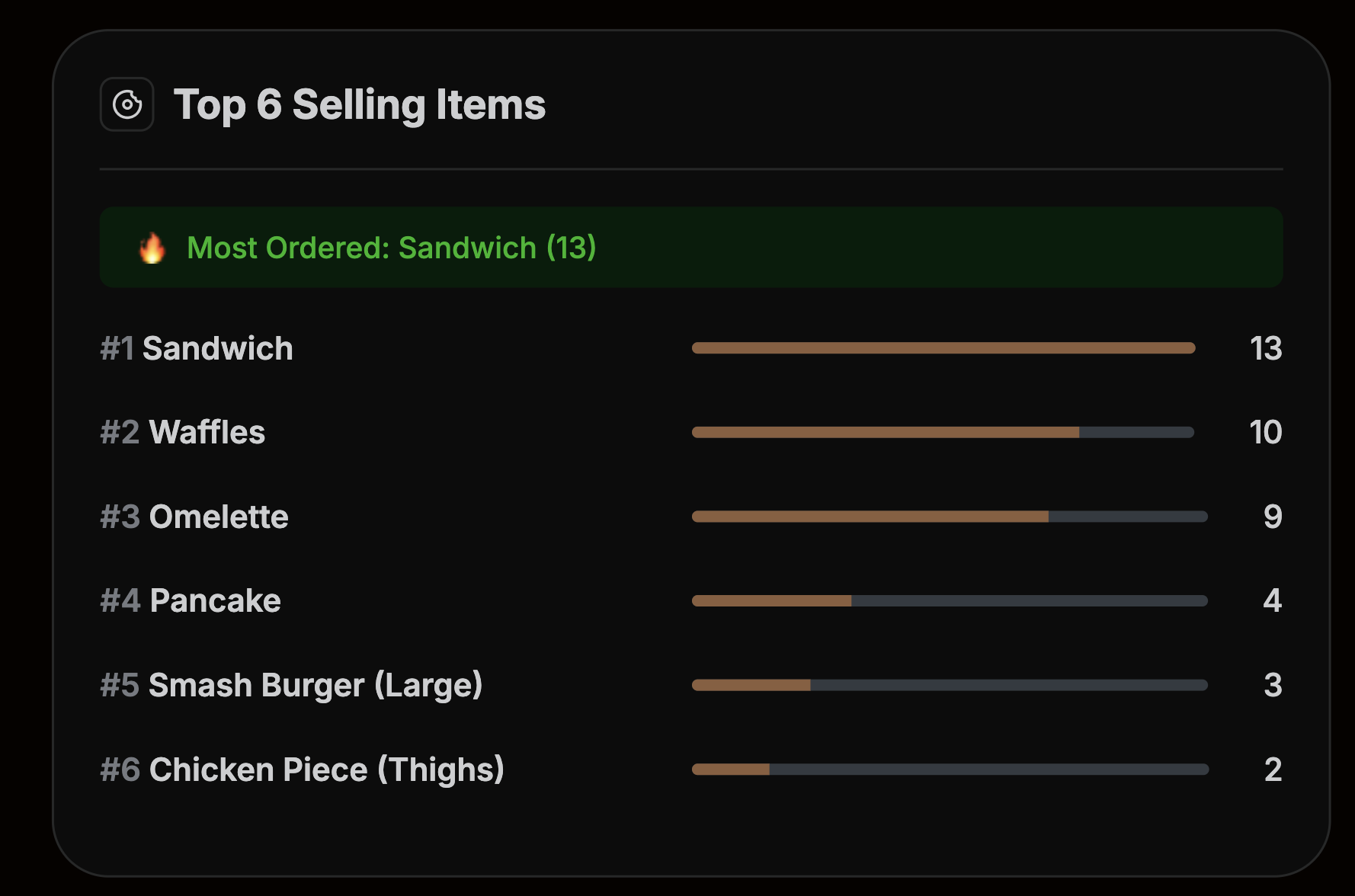
Top items / best sellers

Instantly see what’s selling most and what’s slowing down — so you can adjust menu, prep, and purchasing fast.

Comprehensive Financial Analytics

“The analytics capabilities are outstanding. We can drill down into any metric, compare periods, and identify trends instantly. This platform has given us the financial intelligence we've always needed.”

Michael Anderson avatar

Michael Anderson

VP of Finance

Improved Cash Flow Management

“NexTSaaS completely transformed how we manage our cash flow. The dashboards are clear, automation saves us hours each week, and our team finally has full visibility into every financial movement across the company.”

James L. avatar

James L.

Finance Lead

Perfect for Fast-Growing Startups

“The platform is incredibly easy, fast, and reliable. As a growing startup, we needed a tool that could scale effortlessly, and NexTSaaS delivered exactly that—smooth payments, real-time analytics, and smart automation.”

Lisa W. avatar

Lisa W.

CFO

Powerful Analytics That Drive Clarity

“The analytics tools gave us deeper insights into our finances than anything we used before. We’re now able to track spending patterns, manage budgets effectively, and make more confident decisions for long-term growth.”

Jennifer A. avatar

Jennifer A.

Finance Lead

Perfect for Fast-Growing Startups

“The platform is incredibly easy, fast, and reliable. As a growing startup, we needed a tool that could scale effortlessly, and NexTSaaS delivered exactly that—smooth payments, real-time analytics, and smart automation.”

Emily T. avatar

Emily T.

Accounts Manager

Streamlined Financial Operations

“NexTSaaS has streamlined our entire financial workflow. From automated invoicing to secure transaction tracking, everything feels .

David K. avatar

David K.

Chief Financial Officer

Real-Time Financial Insights

“Having real-time financial insights at our fingertips has revolutionized our decision-making process. The customizable dashboards show exactly what we need, when we need it. Highly recommend!”

Sarah M. avatar

Sarah M.

Operations Manager

How it Works

01

Install on one PC

Install iServe POS on a single main computer that runs as your in-store POS server — keeps your data local, fast, and reliable.

02

Connect mutliple devices

Open iServe from any phone, tablet, or PC on the same Wi-Fi/LAN — multiple counters, kitchen screen, and manager access all work together in real time.

02

Setup menu & reciepes

Build your menu and link items to ingredient recipes — so billing is quick, and inventory updates automatically with every sale.

03

Open shift → take orders → track expenses

Start a shift with opening cash, process orders smoothly, and log expenses/cash moves as they happen.

ONE TIME INSTALLATION IS FREE

FAQS —
Best Cafe POS Software in Pakistan

Quick answers about our café & bakery POS — offline billing, kitchen (KOT/KDS), inventory, shifts, and reports.

iServe POS is an offline-first POS system for cafés & bakeries in Pakistan. It includes touch billing, KOT/KDS kitchen flow, recipe/ingredient inventory, shift cash control, expenses, and profit reports — all on your local Wi-Fi/LAN.

Yes. It’s designed for fast daily operations with minimal training. You can start with one counter and expand to multiple counters and a kitchen screen as you grow.

Yes. iServe POS supports standard 80mm thermal receipt printing and can be set up for kitchen KOT printing and cash drawer workflows (depending on your hardware).

Yes. iServe POS is offline-first. It runs on your local network (LAN) and does not require internet for billing, KOT, inventory, or reports. Even if internet is completely down: Billing continues Kitchen tickets print Stock updates correctly Shifts can open & close Reports remain available Internet is optional, not required

iServe POS supports multi-counter and multi-device usage on the same network. You can run: Main POS on a computer Another counter on a second PC Tablets for additional billing All using the same IP / local network, synced in real time. Each additional counter can be licensed separately if needed.

Yes . Any authorized device connected to the outlet’s LAN can access iServe POS, based on permissions. Typical setups: Counter PC for billing Tablet at another counter Kitchen screen on a separate display Manager accessing reports from office PC (Future expansion: table-side waiter ordering can be added if required.)

iServe POS uses recipe-based inventory, not guesswork. Ingredients like eggs, milk, flour, beans deduct automatically Finished items like water bottles or chips deduct directly Stock updates happen when items are prepared/sold Cancels can either: Return stock (if not prepared) Mark as waste (if cooked) This keeps inventory and profit accurate.

iServe POS handles real-world scenarios: When cancelling an order, you choose: Return to stock (nothing prepared) Mark as waste (food already cooked) This ensures: Inventory stays correct Wastage is tracked Profit/Loss reports remain honest

No monthly subscription. iServe POS is: Deployed one-time Licensed per machine / counter No forced internet dependency Optional paid upgrades for additional counters or features This is ideal for businesses that prefer ownership over subscriptions.

iServe POS is designed specifically for cafés and bakeries in Pakistan, offering offline billing, ingredient-level inventory, KOT/KDS, shift control, and real profit reports.

A restaurant POS system is software that helps cafés manage billing, inventory, kitchen orders, staff, and reports from one place. Targets: restaurant pos system what is pos point of sale definition

Yes. iServe POS includes ingredient-based inventory management that automatically deducts stock on every sale. Targets: restaurant inventory management software restaurant stock management software

Blog

Insights & resources for smarter financial decisions

Explore expert guides, tips, and industry updates to help you grow, scale, and manage your finances with confidence.

No posts found.

Ready to run your café with control?

Get a demo and see how iServe POS handles rush hours, ingredients, cash, and reports — in one flow.